PLANET3-E Specialized SL Mahle Tuning Solutions
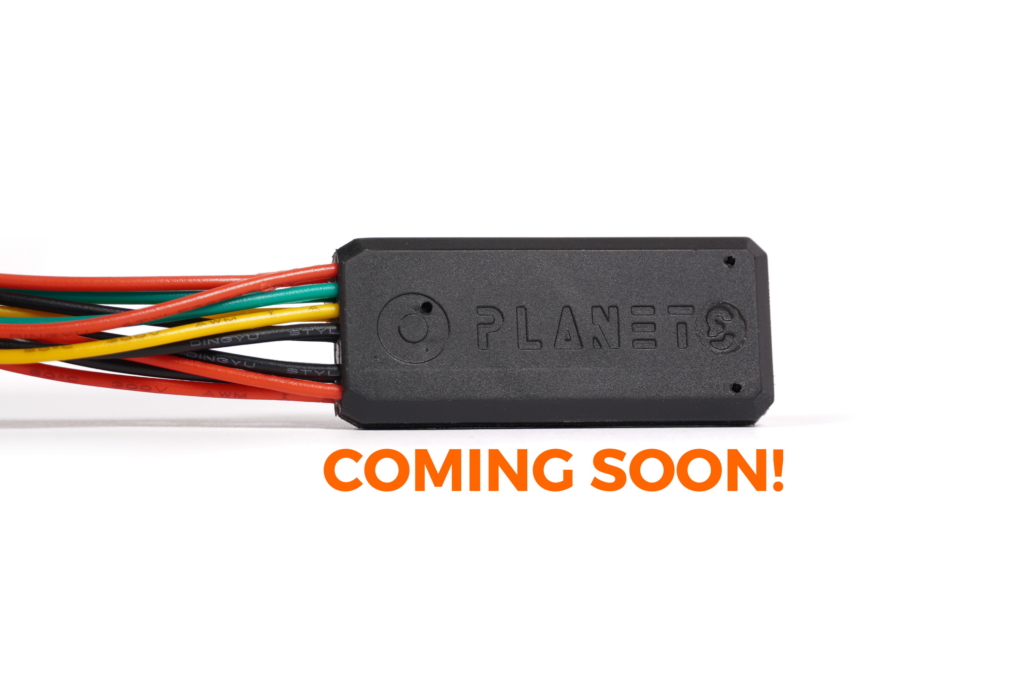








Specifically for Specialized SL Mahle motors.
This is a chip version that plugs into the motor in between the speed sensor/display/motor (much like any other chip out there for Bosch and other systems). It also keeps the speed/distance readouts correct while the mechanical PLANET3 would show 3x less. It’s undetectable, updateable via Bluetooth and more future-proof. Uses original male connectors, while the female connectors that are made by PLANET3. Application for mobile phones is available for both Android and iPhone users. Procedure of installing the chip: take off the crank, unscrew the 3-4 screws, plug in and put everything back. I’d suggest not putting on the motor cover and crank back until you’ve tried powering on the bike and testing the functionality and setup of the PLANET3-E via the app.

As far as the initial setup goes, the only thing that I can’t know ahead of time is your wheel circumference (there is an algorithm that is supposed to measure this automatically, but it doesn’t work as reliably as I would like so for now we enter this value manually). So, when you power on the bike with the PLANET3-E, in the PLANET3 app you will connect to the chip, then go to the Tune menu and there you will see a button “Find my wheel size”, click it and wait a few seconds and it’ll find your wheel circumference. Default value is 2250mm but it can vary from 2000 (78.74 inches) to 2300 mm (90.55 inches). It is important that you verify this value against what’s in Mission Control. They need to be identical. Other than that, you’re good to go.
– the bike would have about 10% more power (there’s a lengthy explanation, but the way motors are tuned is that they provide more power at lower speed and less power as you approach 25 km/h so that the power cut isn’t so “abrupt”, mechanical PLANET3 makes the bike think it’s 3x slower so it puts the motor it in the area of more power as it is tuned from the factory)
– there’s no delay on power delivery IF you are above the speed limit and go from coasting (say going downhill) to pedaling. Currently the chip has to figure out that you want power, so it has to go from not-lying-to-the-motor to lying-to-the-motor-that-you’
Mechanical mode V2 solves the problem of the newer firmwares where Specialized decided to follow the Shimano/Bosch route and start comparing speed and cadence and throw errors when it’s outside the “normal” zone. We fix that in Mechanical mode V2 by not doing anything up to 8 km/h (so speed is 1:1 until you reach 8 km/h) and then it starts going linearly up from 1:1 at 8 km/h to 3:1 at 25 km/h. If regular mechanical mode gives you errors when you try climbing in 1st and 2nd gear, try V2. That’s basically it.
Contents
PLANET3-E version F105/F205.


Shipped worldwide via:


Have questions about this product?
Please contact us before you buy!
Specifically for Specialized SL Mahle motors.
This is a chip version that plugs into the motor in between the speed sensor/display/motor (much like any other chip out there for Bosch and other systems). It also keeps the speed/distance readouts correct while the mechanical PLANET3 would show 3x less. It’s undetectable, updateable via Bluetooth and more future-proof. Uses original male connectors, while the female connectors that are made by PLANET3. Application for mobile phones is available for both Android and iPhone users. Procedure of installing the chip: take off the crank, unscrew the 3-4 screws, plug in and put everything back. I’d suggest not putting on the motor cover and crank back until you’ve tried powering on the bike and testing the functionality and setup of the PLANET3-E via the app.
As far as the initial setup goes, the only thing that I can’t know ahead of time is your wheel circumference (there is an algorithm that is supposed to measure this automatically, but it doesn’t work as reliably as I would like so for now we enter this value manually). So, when you power on the bike with the PLANET3-E, in the PLANET3 app you will connect to the chip, then go to the Tune menu and there you will see a button “Find my wheel size”, click it and wait a few seconds and it’ll find your wheel circumference. Default value is 2250mm but it can vary from 2000 (78.74 inches) to 2300 mm (90.55 inches). It is important that you verify this value against what’s in Mission Control. They need to be identical. Other than that, you’re good to go.
– the bike would have about 10% more power (there’s a lengthy explanation, but the way motors are tuned is that they provide more power at lower speed and less power as you approach 25 km/h so that the power cut isn’t so “abrupt”, mechanical PLANET3 makes the bike think it’s 3x slower so it puts the motor it in the area of more power as it is tuned from the factory)
– there’s no delay on power delivery IF you are above the speed limit and go from coasting (say going downhill) to pedaling. Currently the chip has to figure out that you want power, so it has to go from not-lying-to-the-motor to lying-to-the-motor-that-you’
Mechanical mode V2 solves the problem of the newer firmwares where Specialized decided to follow the Shimano/Bosch route and start comparing speed and cadence and throw errors when it’s outside the “normal” zone. We fix that in Mechanical mode V2 by not doing anything up to 8 km/h (so speed is 1:1 until you reach 8 km/h) and then it starts going linearly up from 1:1 at 8 km/h to 3:1 at 25 km/h. If regular mechanical mode gives you errors when you try climbing in 1st and 2nd gear, try V2. That’s basically it.
Contents
PLANET3-E version F105/F205.
Have questions about this product?
Please contact us before you buy!
CUSTOMER REVIEWS

Jonathan Kunert, USA
A couple of years ago I purchased your Planet 3 and have been immensely impressed with it. Love it and if you need a testimony on it being worth the

Michel Leduc, CA
Hello Alex, first BRAVO for the fast shipping, got it today, it’s installed in 20 minutes. Now, i wanted to offer you my first born as a way of showing

Lindsay Evans, AU
I've purchased two of these as i have two sets of rims (off road and commuting).Awesome product, easy to install with good instructional videos. Thanks for a great product and increase

Amanda Fortanier, AU
Hope you’re well.Just wanted to let you know that I’ve fitted the planet to my creo and it works perfectlyInstallation was super easy - so you don’t have to come...

Ben Russell, AU
Just saying thanks for your product. I pretty much got it because I enjoyed your honest attitude and fantastic craftsmanship. Its not often I come across someone who actually gives a fuck

Gary Augustine, USA
First I was surprised how fast I received my order. Received it on Thursday 7/15 .DHL was great with tracking notifications. Your installation video very helpful. I installed in about